The Windows app
Agent Reach Daily is a free Windows app that makes the same kind of edition as this website, on your own PC, from the sources you choose. No account, no subscription, no cloud AI: the summaries are written by a local AI model through Ollama.
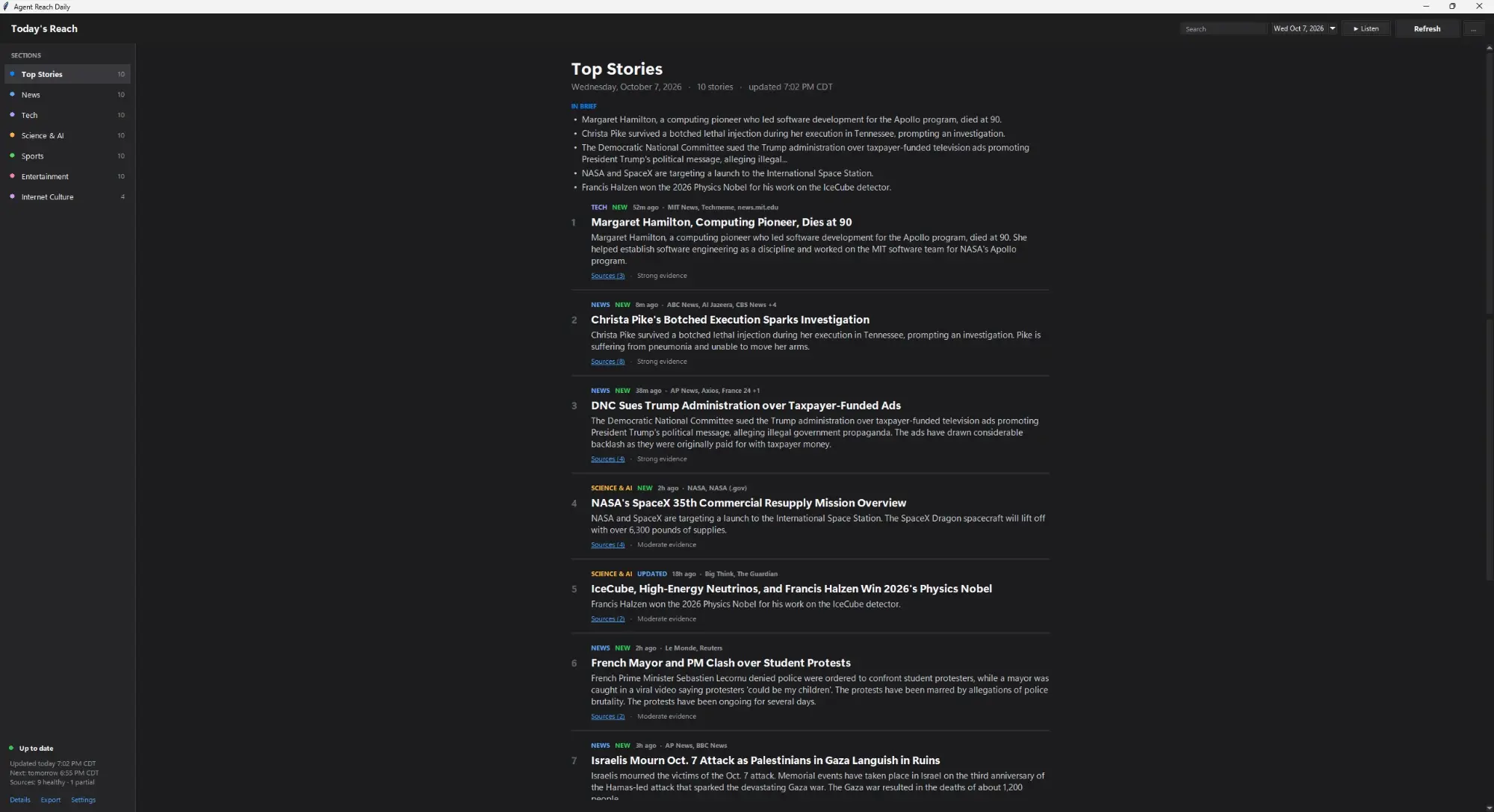
What it does
- Collects public reporting from news feeds, YouTube news channels and trend lists, groups the reports of one event into one story, and writes a short summary checked against the story’s own sources.
- Makes a new edition every day, and keeps 30 days of editions to search.
- Reads the top stories aloud as a daily podcast in your Windows voice (Listen in the toolbar).
- Lets you follow or mute topics, export an edition as a web page, and see every source of a story.
You need
- Windows 10 or 11 and Python 3.10 or newer (3.12 recommended), with the tcl/tk and py launcher options ticked when you install it
- The free Ollama app and about 6 GB of disk space for the AI models (llama3.1:8b and nomic-embed-text)
- A graphics card helps: about 7 minutes per edition with one, 10 to 40 minutes without
Install
- Download the newest
Agent-Reach-Dailyzip from the releases page on GitHub and unzip it. It contains the full source code. - In PowerShell, from that folder, run:
powershell -ExecutionPolicy Bypass -File .\Setup-AgentReachDaily.ps1 -PullModels -RegisterTask
Setup checks Python, Ollama, the models, your free disk space and your graphics card, and tells you what to do if something is missing. Add-DryRunto see every step without changing anything. - Open Agent Reach from the Desktop and choose Collect today’s news now. After that, a new edition is made every day.
Updates
The app installs new releases itself, from the same releases page: when its window opens, and in an hourly check. It checks each download against its published size and checksum, keeps a backup, and goes back to the previous version if a new one does not start. Your editions and settings are not touched.
Your data
Editions, settings and logs live in %LOCALAPPDATA%\AgentReachDaily on your PC. Nothing about you is sent anywhere: the app reads public sources and runs its AI model locally.
Help
- A self-test of the app on your PC:
powershell -ExecutionPolicy Bypass -File .\Test-AgentReachDaily.ps1. It leaves a report zip on your Desktop and only reads your data folder. - To remove the scheduled task and shortcuts (your editions are kept):
powershell -ExecutionPolicy Bypass -File .\Uninstall-AgentReachDaily.ps1. - Questions or problems: hello@getagentreach.dev.
The app is a release candidate: it works end to end and is tested on a real Windows PC with every release. Known gaps: two editions an hour apart do not always recognise the same story, and the “why it matters” notes are often left out because they fail the source check. How an edition is made.